If you work from home, your office chair is quietly the most important piece of furniture you own. You spend more waking hours in it than on your sofa or in your bed, and the wrong one shows up as back pain, sore shoulders, and an afternoon slump that no amount of coffee fixes. Yet it is the purchase people most often cut corners on, grabbing the cheapest chair that looks vaguely office-like. A good chair is not about luxury; it is about supporting your body through a full working day. Here is how to choose one without either suffering or overspending.
The encouraging news is that you do not need the most expensive chair on the market. You need the right adjustments, set up correctly for your body.
The adjustments that in practice matter
Ergonomics is mostly about a handful of adjustments, not a long spec sheet. Prioritize these:
- Seat height, so your feet rest flat on the floor and your knees sit at roughly a right angle.
- Lumbar support that fits the curve of your lower back, ideally adjustable in height and depth.
- Seat depth, so there is a small gap behind your knees and the seat does not dig into them.
- Armrests that adjust, so your shoulders relax and your forearms are supported while typing.
- Recline and tilt, since moving and leaning back through the day is healthier than sitting rigidly upright.
Chair types and who they suit
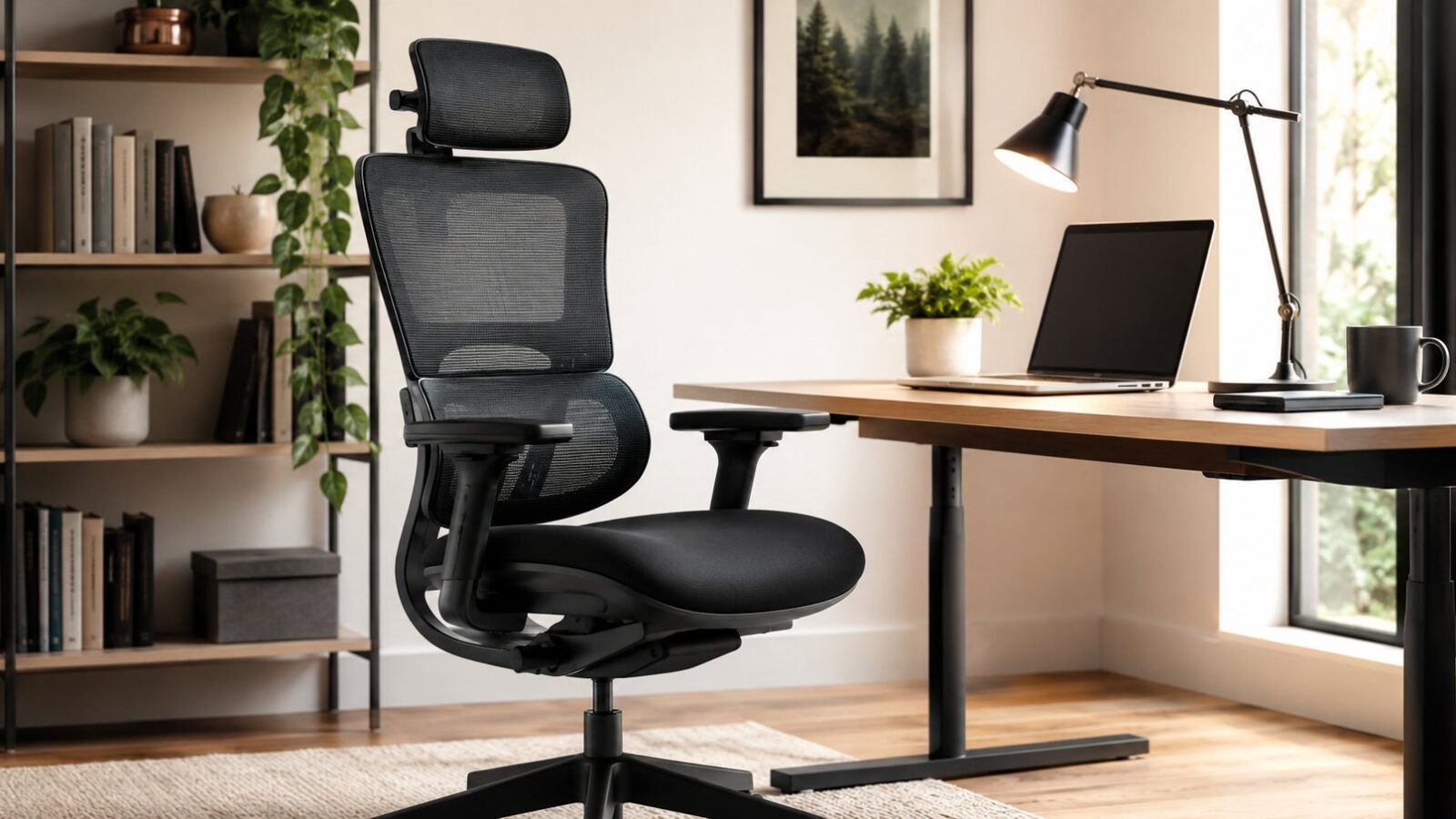
Ergonomic mesh chairs
The popular default for good reason: breathable, supportive, and usually well-adjustable. Mesh keeps you cool through long sessions, and mid-range models offer most of the adjustments that matter.
Cushioned task chairs
More padded and often warmer, with a more traditional look that suits a home office that doubles as a visible room. Comfortable, though cheaper ones skimp on adjustability.
Kneeling and active chairs
These shift posture and engage your core, and some people love them, but they suit shorter sessions and specific needs rather than a full eight-hour day for most people.
Executive and gaming chairs
Big, padded, and dramatic, but looks often outrun ergonomics. Judge them on the same adjustments as any chair rather than on the marketing.
Setting it up correctly
Even the best chair fails if it is set up wrong, and most people never adjust theirs past the default. Spend ten minutes dialing it in: set the height so your feet are flat and forearms level with the desk, position the lumbar support into the small of your back, set the seat depth, and lower the armrests until your shoulders drop. A correctly adjusted mid-range chair beats an expensive one left at factory settings every time.
Building a workspace around the chair
The chair is the centerpiece, but the surrounding setup decides how well it works. Your screen should sit at eye level so you are not craning down, your desk at a height that keeps forearms level, and good task lighting should reduce the squinting and leaning that wreck posture. A tidy, intentional home office, set up with the same care as the rest of your home’s design, makes the chair’s job easier and the working day more pleasant.
The chair is not the whole answer
Even a perfect chair cannot offset sitting still for eight hours straight, and the research is consistent that movement matters as much as posture. The best chair in the world is no substitute for getting up regularly.
- Stand and move for a couple of minutes every half hour or so, even just to refill water.
- Consider a sit-stand desk or a converter if you can, alternating between sitting and standing.
- Adjust your position through the day rather than freezing in one ideal posture.
- Keep frequently used items within easy reach so you are not twisting and overreaching.
Think of the chair as the foundation that makes sitting safe, and movement as what keeps your body happy on top of it.
Office chair questions for long workdays
What is the most important feature in an office chair?
Adjustable lumbar support and seat height, so the chair fits the curve of your back and lets your feet rest flat with knees at a right angle. Those two do the most to prevent pain.
Do I need an expensive ergonomic chair?
No. A well-adjusted mid-range chair with the key adjustments protects your back nearly as well as a premium one. Correct setup matters more than price, and an unadjusted expensive chair is no better than a cheap one.
Is a mesh or cushioned chair better?
Mesh stays cooler over long sessions and often adjusts well; cushioned chairs feel plusher and look more traditional. Both work if the key ergonomic adjustments are present, so choose based on comfort, climate, and looks.
How do I set up my chair and desk correctly?
Start from the floor up. Set the seat height so your feet rest flat and your knees sit at roughly a right angle, then adjust the desk or your arms so your forearms are level when typing and your shoulders stay relaxed. Position the lumbar support into the curve of your lower back, set the seat depth so there is a small gap behind your knees, and raise your screen so the top is around eye level and an arm’s length away. Ten minutes spent on this does more for comfort than hundreds of dollars of extra chair.
Office chair shopping mistakes
- Buying the cheapest chair and paying for it in back pain within months.
- Choosing a chair on looks, especially padded executive styles, over real adjustability.
- Never adjusting the chair past its default factory settings.
- Ignoring seat depth, so the edge digs into the back of the knees.
- Setting up the chair perfectly but leaving the screen too low and undoing the benefit.
Adjustability beats a long feature list
Spend in the middle of the market and spend your effort on setup. The jump from a bad chair to a solid, adjustable mid-range one is enormous; the jump from there to a premium designer chair is real but far smaller, and it is wasted entirely if you never adjust the thing. Buy a chair with genuine height, lumbar, depth, and armrest adjustment, take ten minutes to fit it to your body, and raise your screen to eye level. Your back will notice that far more than a famous logo.
For anyone working from home, the office chair is essential infrastructure, not a luxury. Focus on the adjustments that matter, height, lumbar, seat depth, and armrests, buy a solid mid-range chair rather than the cheapest or the flashiest, and spend ten minutes setting it up for your body and raising your screen. Get that right and you will work more comfortably and protect your back for years.