Most people build a smart home in the wrong order. They buy the flashy thing first, a voice assistant or a video doorbell, and end up with a drawer of half-used gadgets and a house that is not meaningfully smarter. The buyers who are happy a year later almost always started with the boring, useful devices and added the rest slowly. This guide lays out a sane order to build in, the four devices that pay back every day, and the common purchases worth delaying.
The goal of a smart home is not gadgets; it is removing small daily frictions. Judge every device by whether it saves you a real, repeated annoyance. If it does not, it is a toy, and toys gather dust.
Pick an ecosystem first
Before any device, decide which ecosystem you will build around, because mixing them is where beginners get frustrated. The major platforms each have strengths, and the right one is usually whichever matches the phone and speakers you already own. Committing to one keeps everything in a single app and lets devices talk to each other, which is the entire point. You can bridge platforms later, but starting in one lane saves a lot of early headaches.
The four devices that pay back daily
Smart plugs
The cheapest, highest-value entry point. A few smart plugs let you schedule lamps, fans, and coffee makers, and turn anything off from your phone or by voice. They cost little, install in seconds, and immediately make the home feel smarter without rewiring anything.
Smart lighting
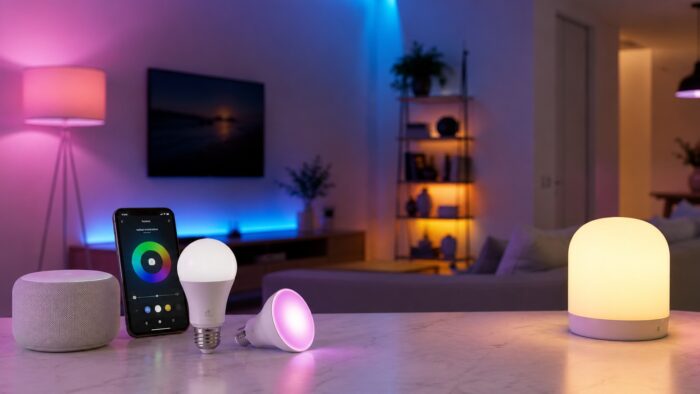
The upgrade people notice most. Scheduled and dimmable lighting changes how a home feels morning and night, and scenes let one tap set a whole room. It is worth doing properly from the start, which is why we cover it in depth In the guide to smart lighting for beginners.
A smart thermostat
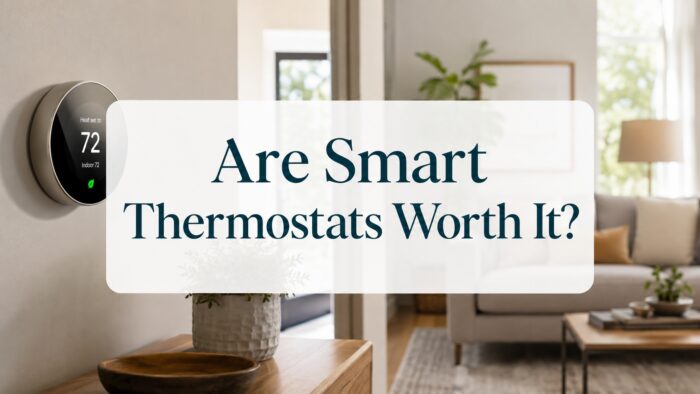
The device most likely to pay for itself. By learning your schedule and adjusting heating and cooling automatically, a good smart thermostat trims energy bills month after month. Whether the savings justify the cost depends on your home and habits, which we break down in our look at whether smart thermostats are worth it.
A voice assistant or hub
Once you have a few devices, a central speaker or hub ties them together and makes voice control genuinely useful. Bought first it is a novelty; bought after you have devices to control, it becomes the remote for your home.
What most people buy too early
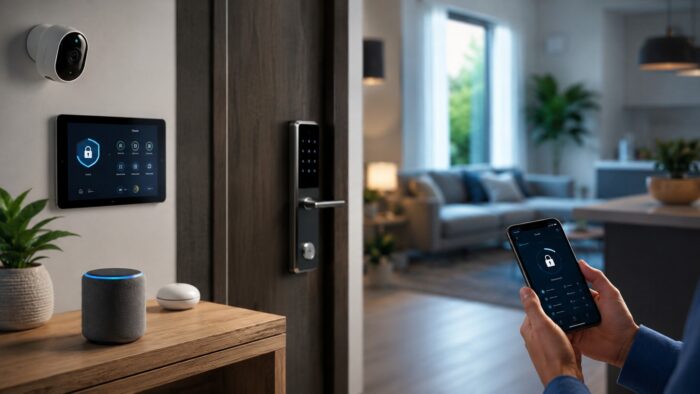
- Video doorbells and cameras, useful but best added once the basics work and you understand your ecosystem.
- Smart locks, convenient but a bigger commitment that benefits from an established hub.
- Niche gadgets like smart blinds or sensors, easy to over-buy before you know what you will in practice use.
- A pile of devices from different ecosystems that will not cooperate.
Build it in stages
A sane rollout looks like this: choose an ecosystem, add a couple of smart plugs, then lighting, then a thermostat, then a hub or speaker to control it all, and only then the doorbells, cameras, and extras. Adding devices in stages lets you learn the app, fix problems while the system is simple, and avoid buying things you do not need. It also spreads the cost, which makes a smart home far less daunting than trying to wire everything at once.
Do not forget the network
The most common reason smart devices misbehave is not the devices, it is the home network behind them. Every smart plug, bulb, and camera leans on your Wi-Fi, and a weak or overloaded network makes the whole system feel unreliable. Before you blame a gadget, make sure the basics are solid.
- Put devices on a strong signal; a mesh system or a well-placed router prevents dropouts in far rooms.
- Keep firmware on your router and devices up to date for stability and security.
- Change default passwords on every device, since smart home gadgets are a common security weak point.
- Consider a separate guest or device network to keep cheaper gadgets isolated from your main devices.
Get the network right once and the devices simply work, which is the difference between a smart home you trust and one you fight.
Setup choices that cause trouble later
- Buying across multiple ecosystems that cannot talk to each other.
- Starting with the flashiest device instead of the most useful one.
- Automating things that were never in practice annoying, then never using the automation.
- Ignoring your home network, then blaming the devices when they drop offline.
- Trying to install everything in one weekend instead of building in stages.
Build the system one room at a time
The happiest smart home owners treat it as plumbing, not entertainment. They automate the handful of things that genuinely save time, like lights that come on at dusk and a thermostat that manages itself, and they ignore the rest. Resist the urge to make everything smart. A few reliable automations you forget are even there beat a houseful of gadgets you have to think about.
Smart home questions to answer before buying
What smart home device should I buy first?
A couple of smart plugs. They are inexpensive, install instantly, and let you schedule and control lamps and small appliances, which makes the home feel smarter with almost no commitment.
Do I need a hub for a smart home?
Not at first. Many devices work directly over Wi-Fi. A hub or central speaker becomes worthwhile once you own several devices and want them to coordinate and respond to voice control.
How much does a basic smart home cost?
You can start meaningfully for the price of a few smart plugs and a bulb or two. Building in stages spreads the cost, and you add a thermostat, hub, or cameras only as you decide they are worth it.
Will my smart devices stop working if the internet goes down?
It depends on the device. Many smart plugs, bulbs, and locks keep their manual controls and basic schedules during an outage, but voice control, remote access, and cloud-based automations stop until the connection returns. Devices that run through a local hub tend to keep more functionality offline than purely cloud-based ones. When you buy, it is worth checking how much a device can do without the internet, especially for anything important like locks or thermostats, so an outage is an inconvenience rather than a problem.
A smart home should remain simple to manage
Build a smart home in the right order: pick one ecosystem, start with cheap, high-value smart plugs and lighting, add a thermostat that pays for itself, then a hub to tie it together, and leave doorbells and niche gadgets for later. Solve real daily annoyances rather than chasing features, and you end up with a home that quietly works instead of a drawer of abandoned devices.